Find your fruit
Browse varieties and discover something beyond your usual shopping list.
Tap the screen for a closer look. CherryPickHUNGER FOR KNOWLEDGE
Big questions about a little apple?
Choose it. Store it. Enjoy it. Meet the produce app with Ken’s practical know-how for what you bring home.
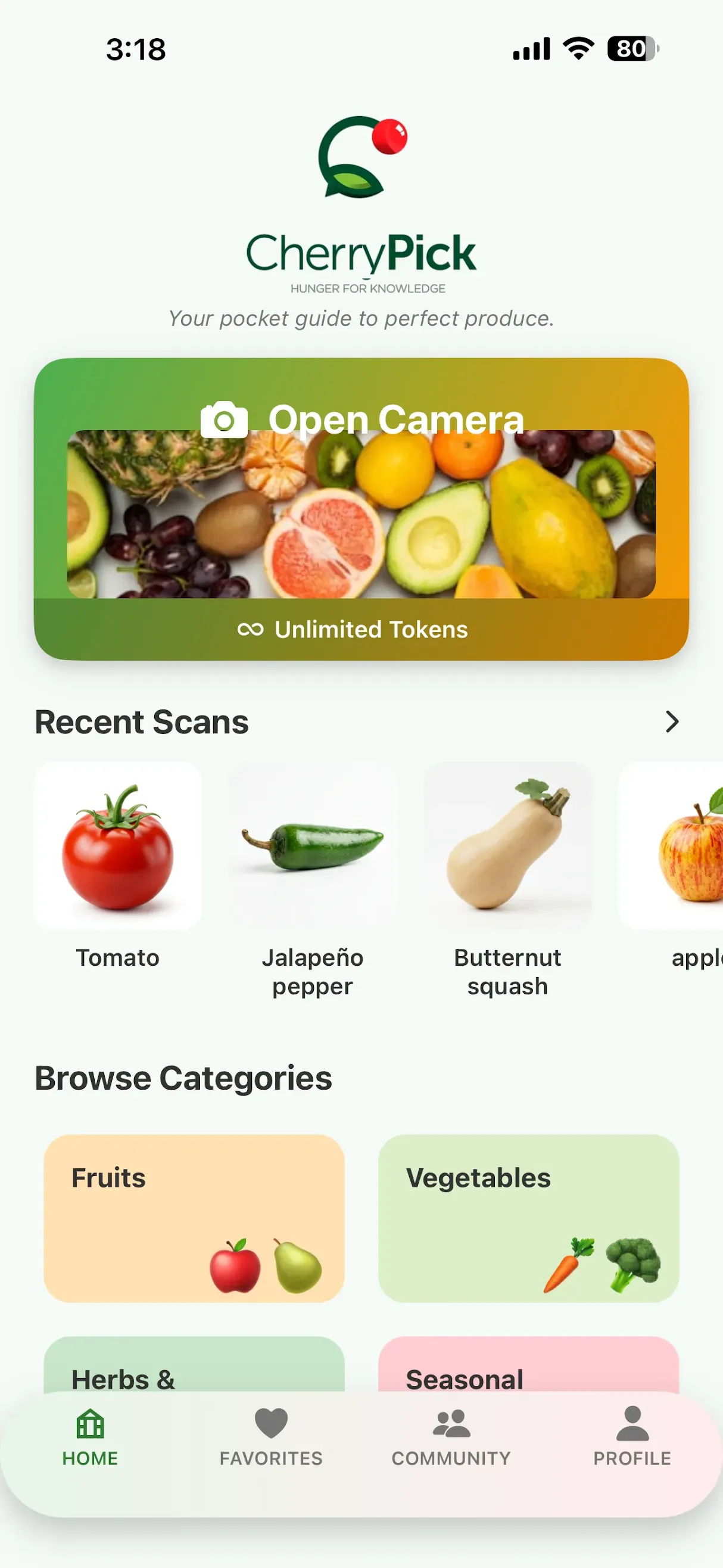
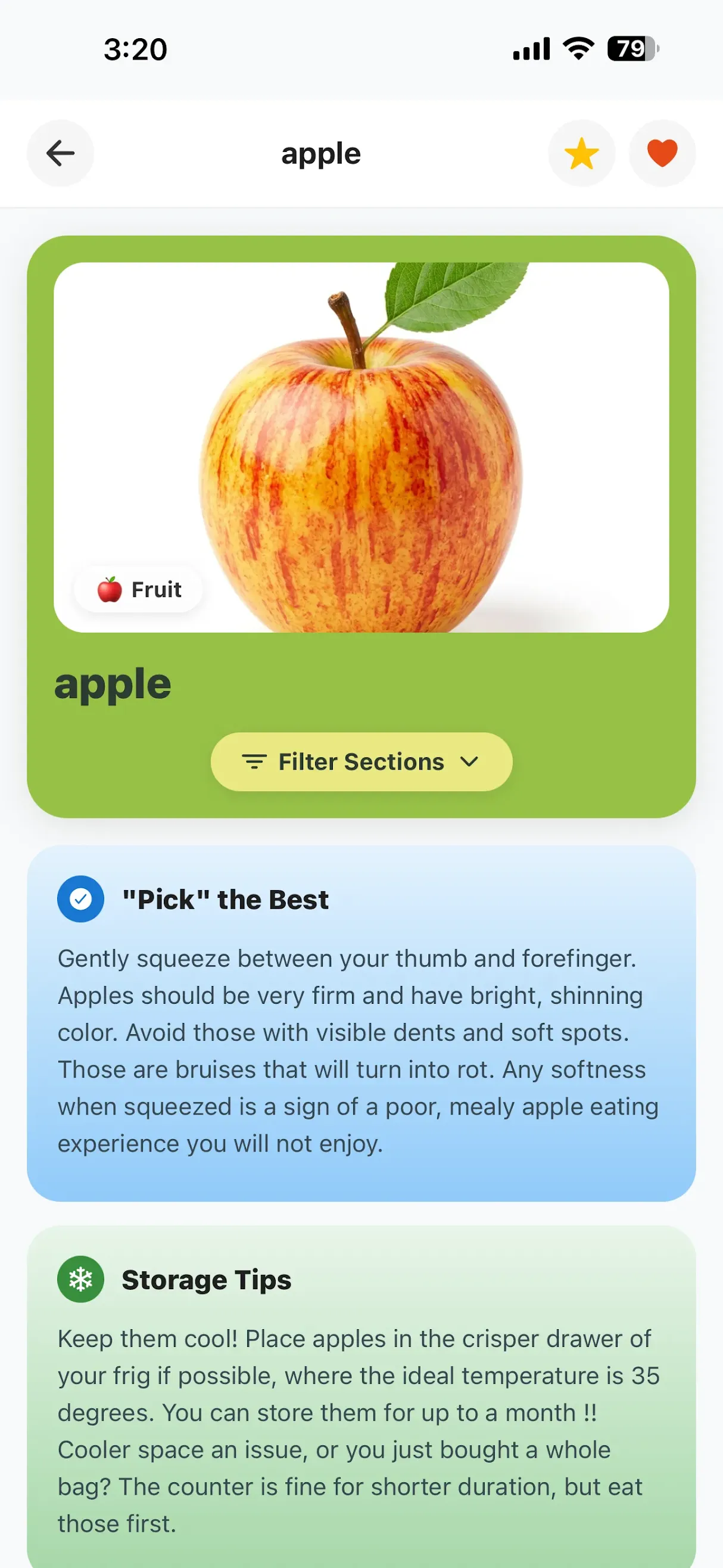
Snap to identify. Browse to discover. Open the guide when you want to know more.
Pick a feature. These are real CherryPick screens.
Browse varieties and discover something beyond your usual shopping list.
Tap the screen for a closer look.Selection and storage information, together in one produce reference.
Tap the screen for a closer look.Browse seasonal picks for another starting point at the market.
Tap the screen for a closer look.From artichokes to peppers, explore the produce in front of you.
Tap the screen for a closer look.Revisit the produce you want to explore again.
Tap the screen for a closer look.1 of 5
30+
Ken’s knowledge, from the farm to the store.
Meet the person behind the advice6
From picking and storage to recipes, nutrition and facts.
See what you can exploreThe forgotten cucumber. The berries you meant to use. CherryPick puts selection, storage and preparation information within reach, so you can make more of what you buy.
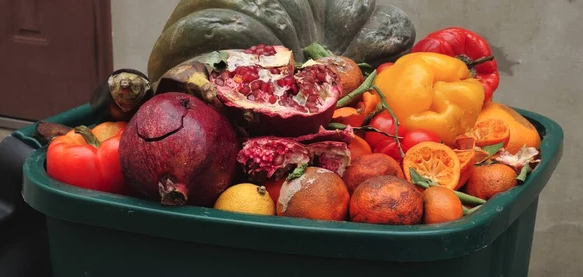
Produce can end up unused when there’s no plan for it.
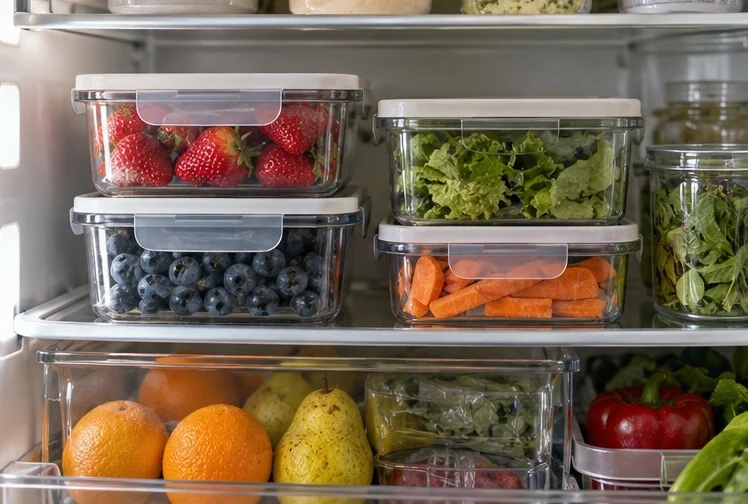
Find storage information and ideas for putting your produce to use.
Illustrative comparison. These photos do not show a measured CherryPick result.
Explore storage informationThese scenes illustrate everyday uses of CherryPick. They are not app screenshots or verified user outcomes.


Use photo identification to find out what’s in front of you, then open its produce information. Explore what to look for when choosing it and get a starting point for your next food decision.
A photo does not establish ripeness or food safety. Use the reference guidance alongside the checks you make with touch and smell.
Explore: Pick the Best · Fun Facts

Shopping is only the beginning. Open Storage Tips for produce-specific reference information when you bring groceries home or decide what to do with what’s left.
The aim is to use more of what you bought. Look for handling and storage guidance for the item in front of you, rather than one rule for every fruit and vegetable.
Explore: Storage Tips


Explore Cool Ideas & Recipes for ways to prepare and enjoy produce. Start with a familiar favorite, or look for inspiration for the vegetable you’ve never cooked before.
A little breakfast inspiration starts with what’s already on your counter. Explore preparation ideas for the produce you want to use.
Explore: Cool Ideas & Recipes

Read Why It’s Good For You and Nutritional Values alongside the produce information. Explore vitamin and nutrition reference details as you plan what to bring to the table.
Fun Facts adds another way to get to know an item, and something new to share around the table.
Explore: Why It’s Good For You · Nutritional Values · Fun Facts
Picking, storing, cooking, or just getting curious. Where would you like to start?
Read what to look for when choosing a fruit or vegetable. Keep your own touch-and-smell checks part of the decision.
Explore this topicFind produce-specific handling and storage reference information for what you brought home, and what’s left.
Explore this topicGet to know the produce you’re choosing, with general reference information about what’s inside.
Explore this topicRead nutrition and vitamin reference information alongside the produce details.
Explore this topicLook for preparation ideas and ways to use familiar favorites or something new.
Explore this topicDiscover an interesting detail to take from the produce aisle to the dinner table.
Explore this topic
“I’ve packed more than 30 years of professional produce experience into one handy app.”
Whether you’re shopping for tonight’s dinner or planning your menu for the week, CherryPick will help you shop with confidence, with guidance you can learn from and depend on.
Here’s a Pro Tip: fresh, healthy meals can be easier on your wallet when you know how to choose, handle, and store your produce. CherryPick helps you make the most of every purchase, and waste less along the way.
Congratulations, you’ve found CherryPick!
Hi, I’m Ken. If you love fresh food, want to save money, and like knowing what’s going into your body, you’re in the right place.
I’ve spent my career learning about produce from the farm to the store, from old favorites to the ones you’re still getting to know.
Curious about something in the produce aisle? CherryPick is right at your fingertips. Learn what to look for when choosing produce, how to keep it fresh, and fun ways to prepare and enjoy it. You can even explore its vitamins and discover interesting facts to share around the table.
Spotted something unfamiliar? Just open CherryPick and point your camera. The app can identify it and tell you more. It’s a fun way to grow into a produce pro!
And just like a garden, CherryPick keeps growing. Your reviews, suggestions, and requests help us plant new ideas and keep the app fresh, useful, and entertaining.
Share what you love, what you’d like to see, and what would make your produce-shopping adventures better. Your suggestions and requests help shape what comes next.
Share your feedbackAI-assisted scanning helps identify a fruit or vegetable. You can then explore reference information about it. A photo does not establish ripeness or food safety, and it cannot replace checks you make with touch and smell.
Ken’s professional produce knowledge is at the heart of CherryPick. Photo identification and produce advice have different roles: AI helps identify the item; the guidance is grounded in Ken’s expertise.
No fancy chef’s hat required. CherryPick is for anyone curious about choosing, storing and enjoying produce, from familiar favorites to the fruit you’ve never tried.
CherryPick for your phone. A farmer in your pocket.
App availabilityOfficial download links will appear here when available.
Share CherryPick with friends, eat healthy and start saving money.